

KAYOU Mobile Shelving Guide
Mobile Shelving Safety Features: Aisle Sensors, Emergency Stops, Locks and Anti-Tip Protection
Mobile shelving increases storage density by placing shelving units on movable bases and opening an aisle only where needed. Because the units move, safety must be designed into the complete system—not added at the end of a project.
A safe design considers carriage movement, users, stored loads, object detection, stopping, power recovery, track guidance, inspection and maintenance. Requirements differ between manual, mechanical-assist and powered systems. Compare quotations against an agreed safety specification; similar dimensions do not mean equal protection.
Quick Answer: What Safety Features Should Mobile Shelving Have?
Depending on the operating method and project risk assessment, a mobile shelving system may include:
Carriage or aisle locks
Central security locks
Anti-tip or rail-guidance components
End stops and mechanical guards
Aisle-entry or presence sensors
Emergency-stop controls
Low-level obstruction detection
Warning lights and audible alarms
Key switches or access control
Power-failure recovery provisions
Buyer reminder: Not every feature is required or available on every system. Ask the supplier to identify what is standard, what is optional and what is compatible with the proposed model.
1. Aisle Sensors and Presence Detection
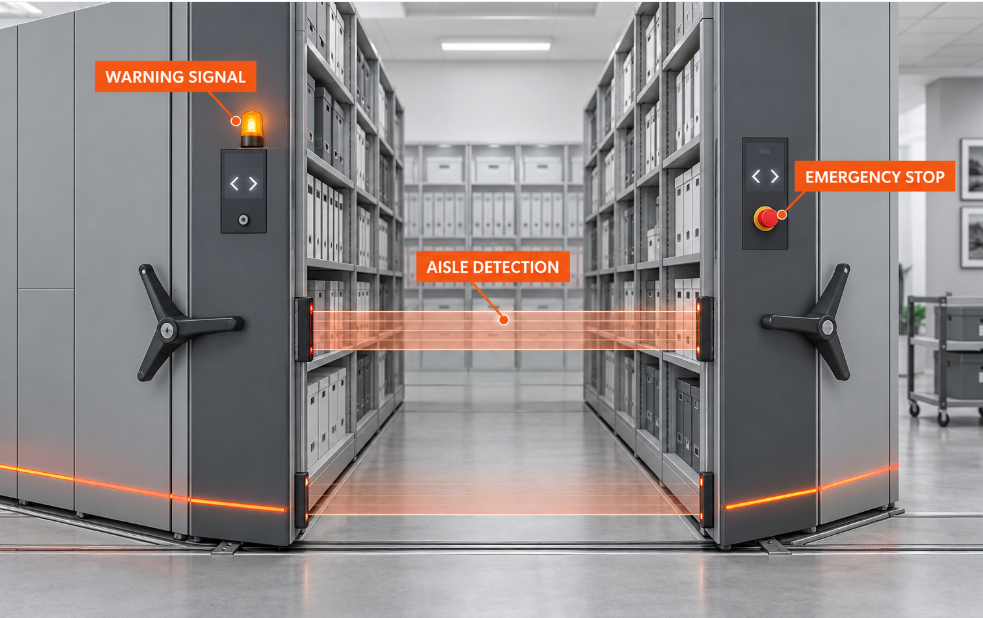
Aisle sensors are mainly used with powered mobile shelving. They detect a person or object entering or remaining in an aisle, then prevent or stop movement according to the approved control logic.
Methods can include photoelectric or infrared beams, light curtains, pressure-sensitive floors and safety sweeps. Coverage varies, so the technical review should confirm:
The monitored aisle areas and ability to detect low objects.
The response when a beam or detection zone is interrupted.
Whether one carriage or the complete system stops.
The reset and authorised-restart procedure.
How faults are shown to operators.
How operation will be demonstrated during commissioning.
2. Emergency-Stop Controls
An emergency stop lets an operator stop powered movement when an unsafe condition appears. Its location and quantity should reflect the layout and user access, with controls at accessible operating points.
During quotation and approval, confirm:
Where each emergency stop will be installed
What movement stops when it is activated
How the control is reset and how restart is authorised
How an activated emergency stop is identified
How the function will be tested and recorded
An emergency stop is not a substitute for sensors, guards, user training or correct operating procedures. The installed system should follow the approved control sequence.
3. Safety Locks and Security Locks Are Not the Same
The word “lock” can describe several different functions in mobile shelving.
Carriage or Aisle Safety Lock
A safety lock may help prevent carriage movement while a person is using an open aisle. On some mechanical-assist systems, a handwheel control can hold the selected aisle open, depending on the approved design.
Central Security Lock
A central lock is mainly used to restrict access to stored documents, files, tools or other materials. It may lock the compacted shelving bank when the system is not in use.
Key Switch or Access Control
Powered systems may use a key switch, password, card or another control method to limit who can operate the equipment.
4. Anti-Tip Protection and Track Guidance
Anti-tip and guidance components help keep loaded carriages aligned with the rails and reduce unwanted uplift, derailment or instability.
The actual design may depend on shelving height and depth, base width, load distribution, wheel arrangement, rail profile and spacing, floor condition, operating forces and any site-specific seismic requirements.
Anti-tip protection does not increase shelf capacity or prove the floor is suitable. Evaluate the supporting structure for shelving, base and stored-material loads.
Request drawings showing the rail, wheel, guide and anti-tip arrangement. Where seismic requirements apply, a destination-market engineer should review the complete installation.
5. Additional Protective Features
Warning Lights and Audible Alarms
Powered systems may warn users before or during movement, but alerts do not replace guarding or detection.
Mechanical Guards
Accessible chains, gears, shafts and other moving parts should be guarded.
End Stops and Travel Limits
End stops and limits keep carriages within their travel range; check their position and fixing during installation.
Controlled Power-Failure Recovery
Ask how powered equipment responds to power loss and how access is restored. Manual recovery must follow manufacturer and site lockout procedures.
6. Manual vs Mechanical-Assist vs Powered Systems
| System type | Typical operation | Safety points to review |
|---|---|---|
| Manual mobile shelving | Units moved directly by hand | Handles, carriage locks, end stops, rail guidance, anti-tip design and manageable operating force |
| Mechanical-assist shelving | Handwheel or crank drives the carriage | Handwheel lock, chain and gear guarding, braking, controlled movement and anti-tip protection |
| Powered mobile shelving | Electric motor and control panel | Aisle detection, emergency stops, control logic, warning signals, fault indication and power-failure procedures |
The table is a planning guide, not a universal specification. Final features must be confirmed for the actual product, load and installation.
7. Mobile Shelving RFQ Safety Checklist
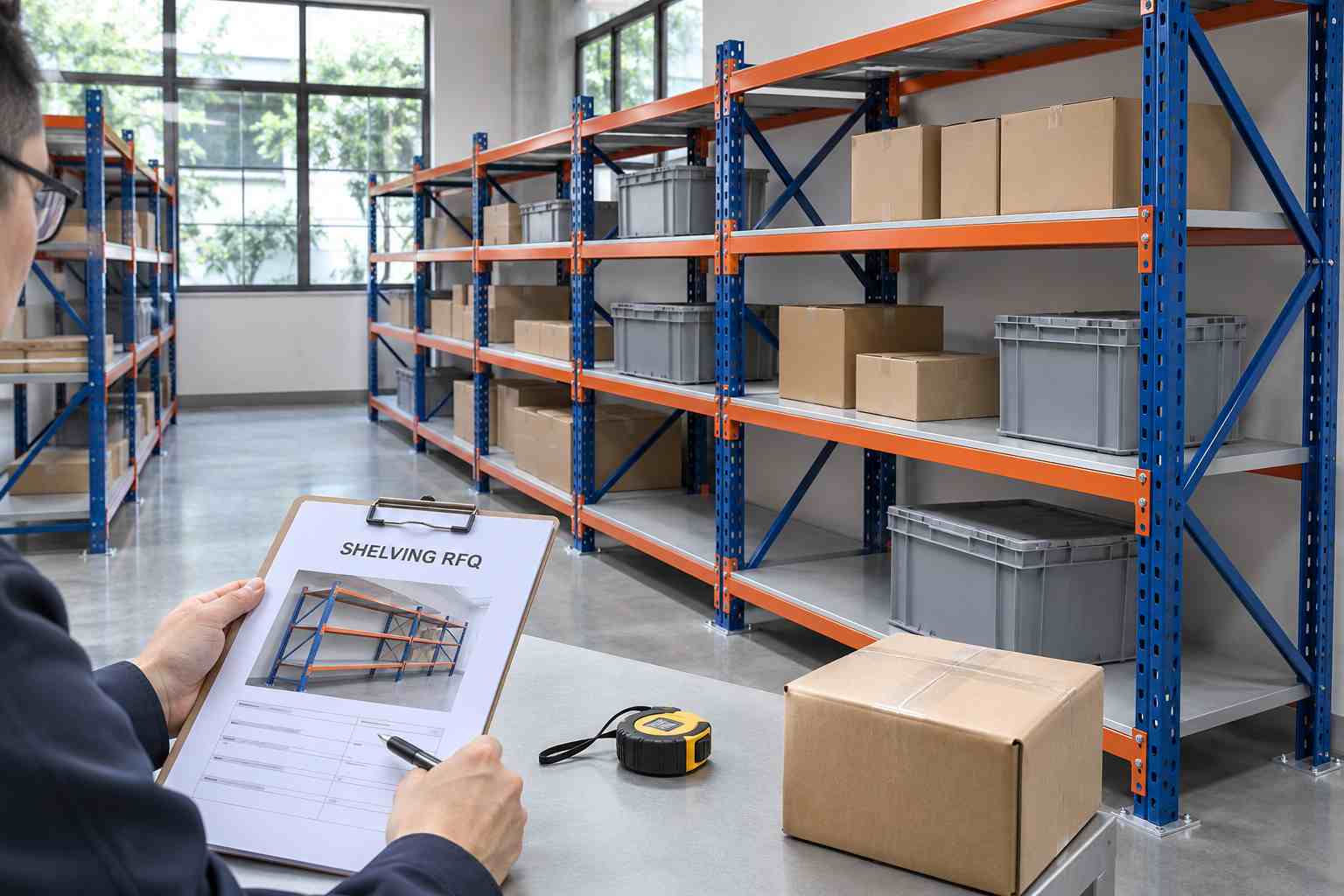
A useful quotation starts with project information. Provide:
Room length, width and clear height
Doors, windows, columns and obstructions
Floor construction and structural information
Stored-item dimensions and average weight
Required shelf and total system load
Number of users and access frequency
Preferred operating method
Public, supervised or restricted access
Required locks and access control
Requested sensors and emergency stops
Fire, accessibility or evacuation constraints
Destination country and installation location
Required drawings, calculations and records
Operating and maintenance manuals
For powered systems, also provide the available power supply and any project requirements for control panels, electrical documentation or building-system interfaces.
8. Installation and Commissioning Checks
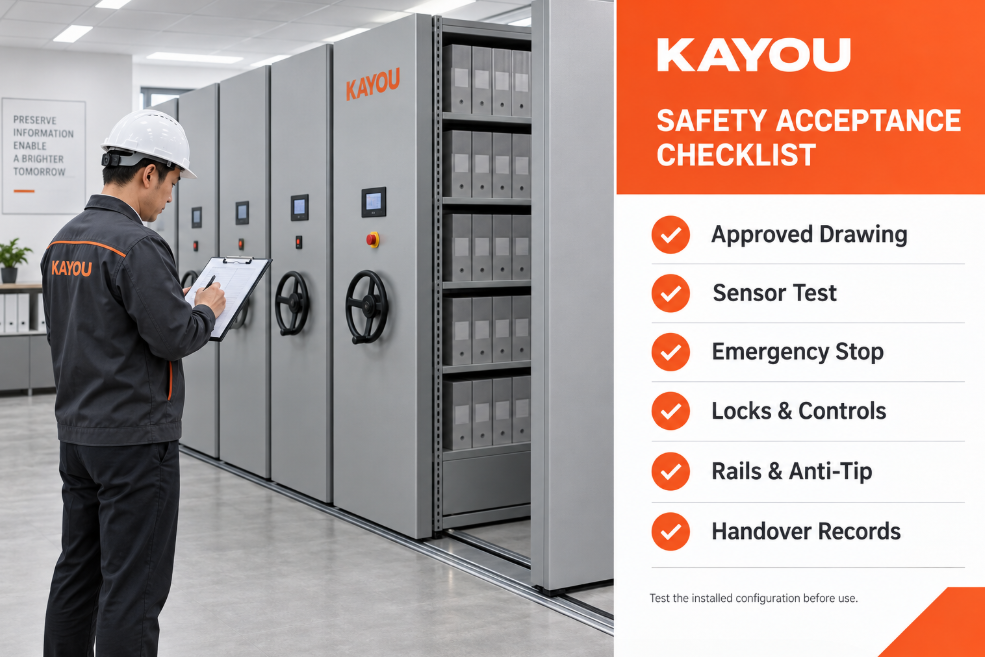
Test safety devices during commissioning. Project acceptance should include:
Confirm that the installed layout matches the approved drawing.
Check that rails, bases and carriages are aligned and move as intended.
Verify shelf, bay and system load information.
Test carriage locks and central locking functions.
Test each sensor with the agreed detection method.
Activate every emergency stop and confirm its response.
Check warning lights, buzzers and fault indicators.
Review power-loss and recovery procedures.
Confirm that guards and access panels are fitted.
Record results, corrections and responsibility.
Provide operating and maintenance instructions.
Train authorised users before normal operation.
Record the system, test date, tester and result. Correct failed safety functions before releasing the equipment.
9. Inspection and Preventive Maintenance
Even a correctly installed system can become unsafe if tracks are obstructed, components are damaged or safety devices are not tested.
Routine checks may include:
Removing debris from rails and operating aisles
Checking for unusual noise, resistance or uneven movement
Inspecting handles, locks, panels and guards
Confirming that stored items do not project into the aisle
Checking that load information remains visible
Testing sensors and emergency stops at the required interval
Recording faults, corrective work and repairs
Qualified personnel should inspect drives, wheels, bearings, electrical parts, controls and anti-tip components as instructed. Review the system after collision, relocation, floor or electrical work, major load changes or reconfiguration.
10. Applicable Standards and Local Requirements
Requirements differ by country and application. Confirm applicable standards, building, electrical, fire and accessibility rules.
As one example, BSI currently lists BS EN 15095:2007+A1:2008 as a current standard under review. It addresses safety requirements for power-operated mobile racking and shelving and considers mechanical hazards, electrical hazards, controls, power-supply faults and verification.
The standard does not automatically apply everywhere. The buyer, supplier, installer and responsible engineer should agree on requirements before production.
Planning a KAYOU Mobile Shelving Project
KAYOU provides customisable manual and electric mobile shelving for archives, offices, libraries, hospitals, schools, museums and industrial storage.
Confirm safety locks, anti-tip protection, drive type and controls in the final quotation and approved drawings. For project review, provide the room drawing, stored-item size and weight, capacity, operating method, user access, destination and required documents.
Explore the KAYOU Mobile Shelving Systems, review the manual mobile shelving range, or read our guide to calculating archive storage capacity.
Frequently Asked Questions
Are aisle sensors required on every mobile shelving system?
There is no universal answer. Requirements depend on the operating method, risk assessment, applicable regulations and intended users. Powered public-access systems may require different protection from supervised manual archive shelving.
What is the difference between an emergency stop and an aisle sensor?
An emergency stop requires a person to activate a control. An aisle sensor detects a person or object within its designed detection area. They perform different functions and may be used together.
Does a central lock make mobile shelving safe to operate?
A central lock primarily controls access to stored contents. Personnel safety requires separate consideration of movement, aisle occupancy, stability, emergency controls and operating procedures.
Can safety sensors be added after installation?
Retrofitting may be possible on some systems, but compatibility, wiring, control logic and the required safety performance must be evaluated by the manufacturer or a qualified specialist.
How often should safety devices be tested?
Follow the manufacturer’s operating and maintenance instructions, applicable local requirements and the project’s risk-based maintenance plan. Keep dated inspection and test records.
What documents should a buyer request?
Request approved layout drawings, load information, component lists, operating instructions, maintenance requirements, electrical or control documents for powered systems, commissioning records and applicable product-specific certificates or test evidence.
References and Further Reading
Need a Mobile Shelving Safety Specification?
Send KAYOU your room dimensions, stored-item details, required capacity, operating method and destination. Our team can review the layout requirements and prepare a project-based quotation.